Duplicate Finder
Duplicate Finder
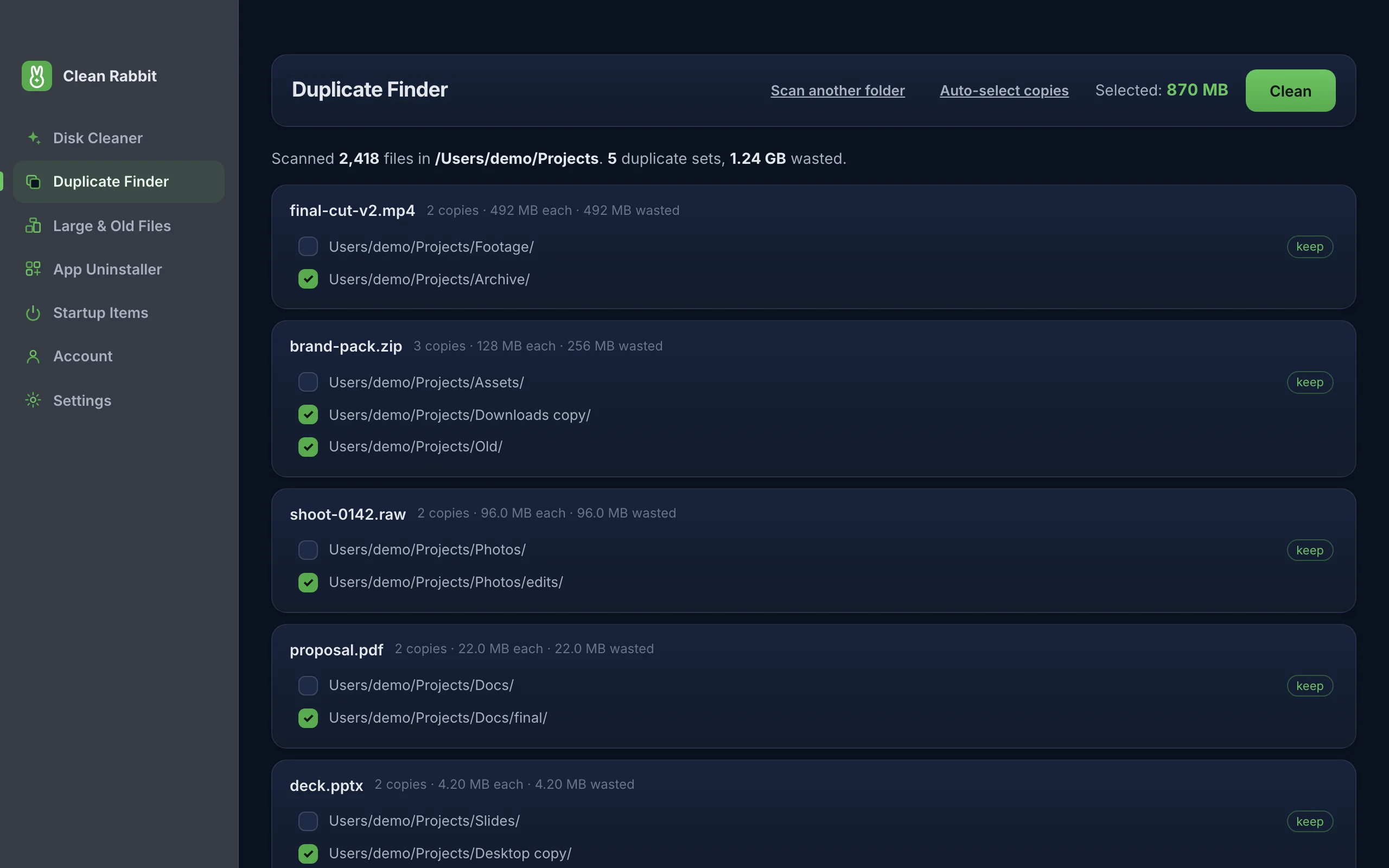
Pick a folder and Clean Rabbit finds files that are byte-for-byte identical, even when they have different names. You choose which copies go. One copy of every file is always kept.
Free · 10 MB · other platforms and system requirements
How it decides two files are the same
Names and dates are not trusted. Files are compared by their contents, in three stages so large folders stay quick:
- Files of different sizes cannot match, so only same-sized files go further.
- The first 128 KB of each is fingerprinted with BLAKE3, a fast cryptographic hash. Most look-alikes are ruled out here.
- Remaining candidates are hashed in full. Only files whose full hashes match are shown as duplicates.
This finds exact copies. It does not group photos that merely look alike, or a song saved at two different qualities.
One copy is always kept
Every copy you leave unticked is marked keep. Auto-select copies ticks all but one copy in each set, and Clean Rabbit will not let you tick the last one, whether you select by hand or automatically. Removed copies go to the Trash or Recycle Bin by default.
Good places to look
- Downloads, where the same installer or PDF often lands two or three times.
- Photo and video exports, especially after copying from a phone more than once.
- Old backup folders copied onto a newer drive.
- Shared project folders where files were duplicated "just in case".
How to use it
- Open Clean Rabbit and choose Duplicate Finder.
- Press Choose folder and pick where to look. Subfolders are included.
- Press Auto-select copies, or tick the copies you want gone yourself. Unticked copies are marked keep.
- Press Clean and confirm.
Questions
Can it find similar photos?
No. It finds exact copies only. Two edits of the same photo are different files and are not grouped.
Does it scan my whole drive?
Only the folder you choose. Pointing it at a specific folder is quicker and the results are easier to review.
Are my files uploaded to compare them?
No. Hashing happens on your device and nothing about the files leaves it.
Try Clean Rabbit
Free for Mac, Windows and Linux. ~10 MB, no card, no trial.
Free · 10 MB · other platforms and system requirements