App Uninstaller
App Uninstaller
Dragging a Mac app to the Bin leaves its settings, caches and support files behind. The App Uninstaller removes the app and those leftovers together, and shows you each one first.
Free · 10 MB · other platforms and system requirements
On a Mac
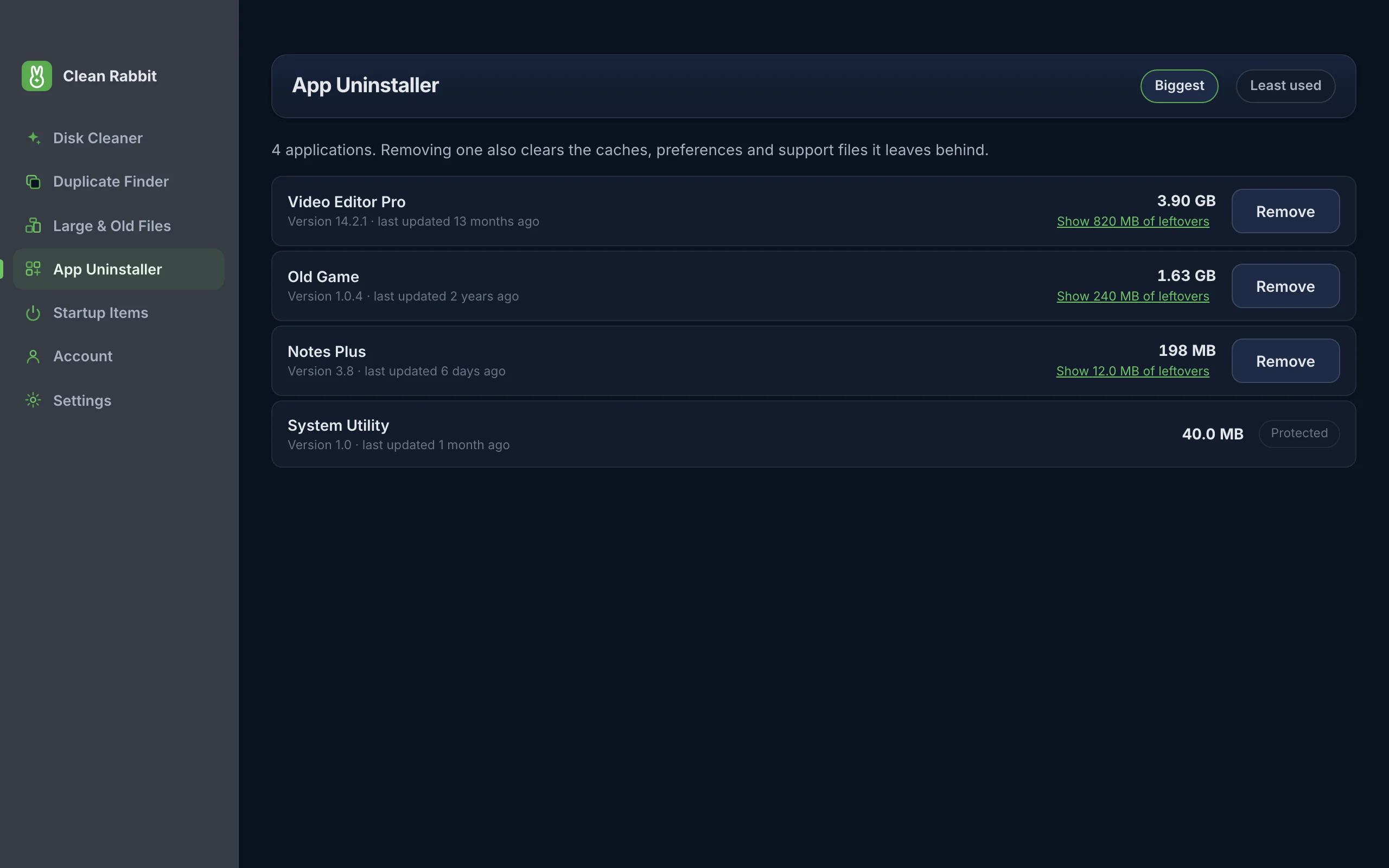
Apps in /Applications and in the Applications folder in your home folder are listed with their size. When you choose Remove, Clean Rabbit looks for leftovers at exact, known locations tied to that app's bundle identifier or name:
- ~/Library/Application Support
- ~/Library/Caches and ~/Library/HTTPStorages
- ~/Library/Containers
- ~/Library/WebKit
- ~/Library/Preferences (the app's .plist)
- ~/Library/Saved Application State
- ~/Library/Cookies
- ~/Library/LaunchAgents
- ~/Library/Logs
It matches exact paths, not loose name searches, so a folder that merely shares a word with the app is never swept up. Press Show leftovers on any app to see what was found before you remove anything. Apps installed for all users, including most App Store apps, ask for your Mac password in the standard macOS prompt. Parts of macOS itself are marked Protected.
Sort by Biggest to find what takes the most room, or Least used to find what you have forgotten about.
On Windows
Installed programs are read from the same registry list that Settings uses. Remove launches the program's own uninstaller, which is the method the developer supports and the one least likely to break anything.
On Linux
Not available. Linux apps are managed by your distribution's package manager (apt, dnf, Flatpak, Snap and so on), and removing them any other way can leave the package database out of step. Use your package manager or software centre instead.
How to use it
- Open Clean Rabbit and choose App Uninstaller.
- Find the app. Sort by Biggest or Least used.
- Press Show leftovers to see what will go with it, then press Remove.
- Confirm. On a Mac you may be asked for your password for apps installed for all users.
Questions
Is dragging an app to the Bin not enough?
It removes the app itself, but its settings, caches and support files stay in your Library folder. They are usually small, but some apps leave gigabytes. See how to uninstall apps on a Mac completely.
Can it remove apps from the Mac App Store?
Yes. They are listed alongside other apps, and because macOS installs them for all users you will be asked for your password.
Can it remove built-in Apple apps?
No. Apps that are part of macOS are protected by the system and are shown as Protected.
Try Clean Rabbit
Free for Mac, Windows and Linux. ~10 MB, no card, no trial.
Free · 10 MB · other platforms and system requirements